
Keyboard shortcuts on PC
Every key of the game on PC, in battle and out of it, and the profile card editor shortcuts.
Updated 29 October 2026
The answer in 30 seconds
-
Tab
Open/close the quick menu
-
1 to 6
Episode, Side Story, Battle, Arena, Summon, Shop
-
Q W E
Select skill 1, 2 and 3
-
7 to 0
Quick menu favorites 1 to 4
-
Alt
Key configuration details
-
Ctrl + Z
Undo, in the profile card editor.
Out of battle: menus
- Tab: Open/close the quick menu · I: Inventory · M: Mail
- Enter: Chat · N: Notification center · G: Orbis's Guide
- C: Heroes · U: Guild · Y: Reputation
- K: Steel Workshop · O: Settings
Out of battle: modes and shops
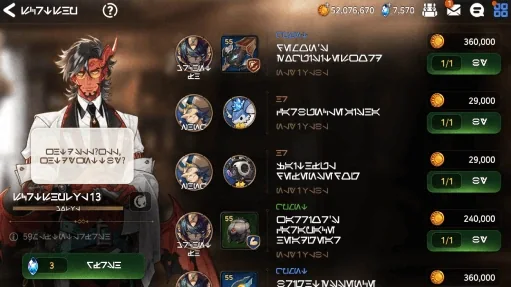
- 1: Episode · 2: Side Story · 3: Battle
- 4: Arena · 5: Summon · 6: Shop
- S: Secret shop · P: Epic Pass · E: Event
- 7 to 0: Quick menu favorite 1 to 4
- The 4 quick menu favorites are picked in the settings.
Everywhere
- Esc: Cancel · Space: Confirm
- Alt: Key configuration details
- Full screen (Alt+Enter)
In battle
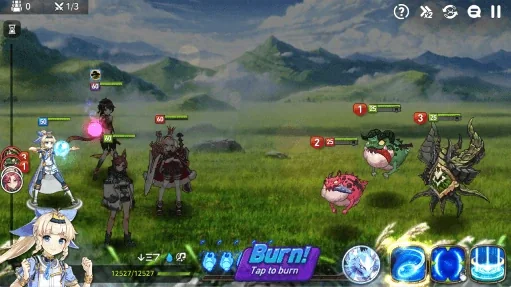
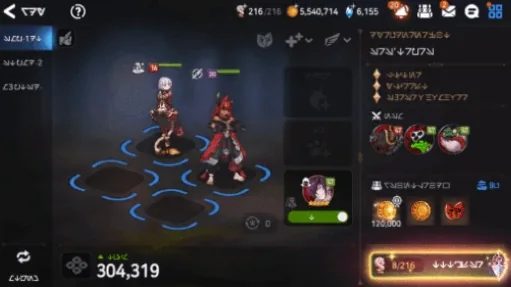
- Q: Select skill 1 · W: Select skill 2 · E: Select skill 3
- Space: Soul Burn · 0: Guardian · Tab: Battle status
- 1 to 4: Select ally 1 to 4
- 1 to 6: Select enemy 1 to 6
- Esc: Pause · Enter: Chat · Alt: Key configuration details
Map, directions and camping
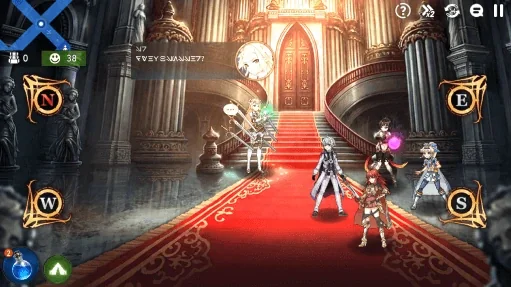
- W: Go north · S: Go south
- A: Go west · D: Go east
- M: Map · C: Camping
Profile card: layers
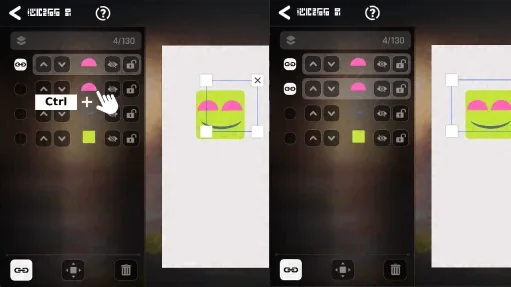
- Ctrl + click another layer: it is selected too, and linked. Ctrl + click it again to drop it.
- Shift + click: every layer in between is selected and linked.
- Ctrl + / locks the layer, Ctrl + . hides it. The same keys undo it.
- Ctrl + J duplicates the layer. Ctrl + D deselects it.
Profile card: layer order
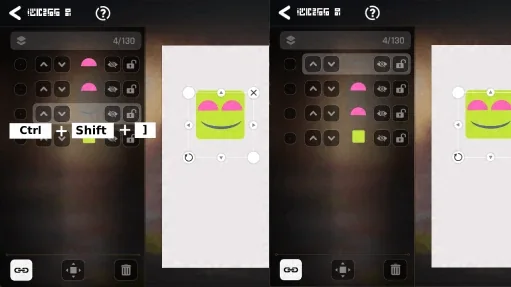
- Ctrl + ] moves the layer up one level, Ctrl + [ down one.
- Ctrl + Shift + ] sends it to the top of the list, Ctrl + Shift + [ to the bottom.
Profile card: editing
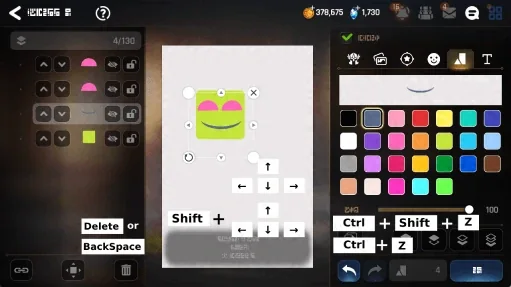
- Delete or Backspace deletes the layer. Ctrl + Z undoes, Ctrl + Shift + Z redoes.
- Arrow keys move the layer 1 px at a time; with Shift, 10 px.
- Hold Shift while you drag it with the mouse: it moves in a straight line.
- Ctrl + + and Ctrl + - zoom the view in and out.